


PureLink:Phone&Location Track
4.559.00 Reviews
App Specs
- Version
- 1.2.9
- Updated On
- License
- Free
- Downloads
- 500,000+
- Developer
- easysoft
- Categories
- Tools
- Platform
- Android
Screenshots
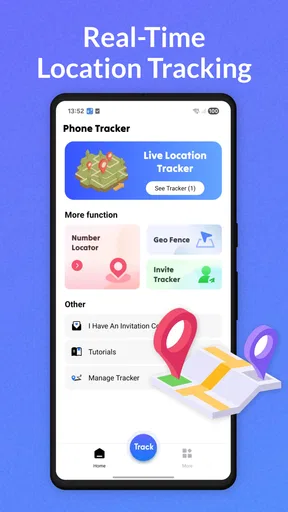
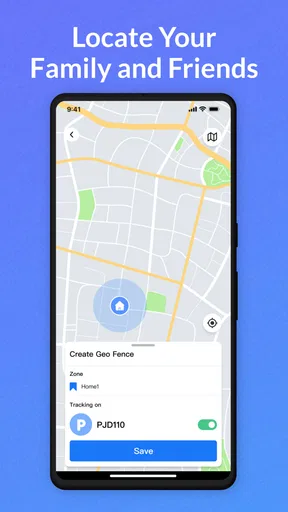
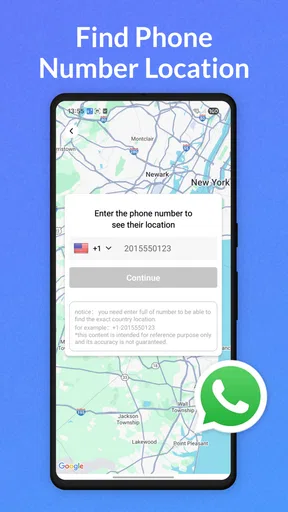
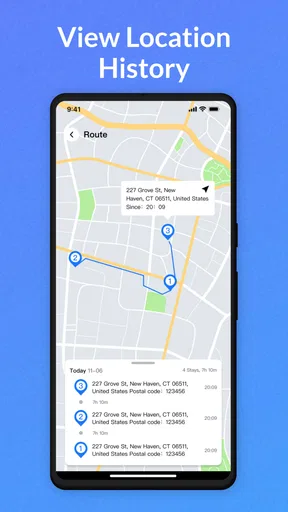
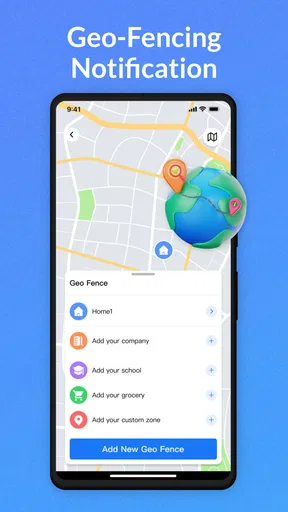
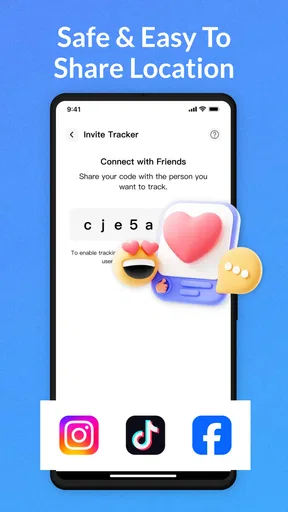
 Analysis by AppCompare
PureLink: Phone&Location Track is a free tools app from easysoft that I would describe as a focused way to make sharing and communication feel more direct. Its basic appeal is easy to understand: when someone needs information from your phone or location, the app is intended to help make that exchange simpler. The store summary says exactly that in broad terms, but after spending time with the app, I found that its value depends less on flashy extras and more on whether it fits the way you already communicate.
I would not approach it as a complete replacement for messaging apps, family-safety platforms, or the sharing tools already built into Android. Instead, I see it as a practical utility for people who want a dedicated place for phone and location-related sharing. That distinction matters. If your needs are occasional and simple, PureLink can reduce the number of steps involved. If you need a full map history, detailed family controls, or a broad collaboration suite, you may find a more specialized app a better match.
What to expect before you begin
The first thing to know is that PureLink: Phone&Location Track is listed in the Tools category, and its developer is easysoft. It is available at no upfront cost, although the app includes optional purchases priced from $6.99 to $29.99 per item. I would treat the free entry point as a chance to understand the workflow rather than assuming every useful function will necessarily remain free.
The app has an Everyone content rating, which makes it approachable for a broad range of users. It supports Android 8.0 and later, so compatibility should be comfortable for many Android owners, including people who are not using a recent phone. Its current version is 1.2.9, and the app has passed the half-million-install mark with an average rating of 4.4 from around 4.9 thousand ratings. Those figures suggest that PureLink has found an audience, while still leaving room for individual experiences to vary depending on device and expectations.
My main advice for a first-time user is to decide what “easy sharing” means in your own routine. Do you want to send your current location to a family member? Do you regularly need to share phone-related details without searching through several apps? Or are you looking for continuous tracking and reassurance about another person? These are different jobs. PureLink makes the most sense when you identify the small communication task you want to simplify before opening it.
A realistic example is meeting a friend in an unfamiliar area. Instead of describing a crossroads badly over a call, you can use a location-sharing workflow and let the other person work from clearer information. Another example is a relative asking for a phone-related detail while you are busy. A dedicated utility can be useful when repeating the same exchange through a general messenger feels unnecessarily slow.
There is also a trade-off that is easy to miss: a dedicated app may make a particular action clearer, but it adds another app to your phone and another interface to remember. If everyone you communicate with already uses a familiar messenger, that existing option may still be faster. PureLink earns its place when its focused workflow saves enough friction to justify keeping it installed.
Worth Reading Before You Choose

EA SPORTS FC Mobile 26 Is a Bigger Football Game, but It Takes Time

Flipboard Shows What News Apps Must Do Beyond the Feed

Switching to Android Auto Means Rethinking Your Driving Routine

Google Calendar Makes a Crowded Week Easier to Manage

Ludo King Makes the Most of the Minutes Between Plans

Baby Panda World Brings Quick Play to Modern Phones, but Its Game Library Feels Busy
Install it with a specific first task in mind
When I install a tool like this, I avoid exploring every screen at once. I first choose one safe, ordinary task, such as sharing my own current location with someone I know. This gives me a meaningful test without involving complicated arrangements or relying on the app for an urgent situation. It also makes it easier to notice where the app is genuinely faster than the usual alternative.
Before sharing anything, I would check the recipient carefully. Location information is personal, and convenience should not replace judgment. Send it only to someone you trust, especially when the information could reveal where you are or where you are likely to be. The best first test is useful, reversible, and low-pressure.
Because PureLink is a communication tool rather than a game or entertainment app, the quality of the experience depends partly on the person receiving the information. A clear interface on your phone does not help if the recipient cannot understand what was sent or does not use the same workflow. For that reason, I recommend telling the recipient what you are sending before you send it.
Getting through the first setup without overthinking it
On the first launch, I would move slowly through the opening screens and read each request in context. A phone-and-location utility may need access related to the action you are trying to perform, but I would not approve anything automatically just because the app asks. If a permission appears before I have chosen a task, I prefer to understand why it is needed first. That habit protects privacy and also prevents confusion later.
My setup routine would be simple. I would confirm that the app is installed on a supported Android version, open it when I have a stable connection, and identify the main sharing action before changing optional settings. I would then choose a trusted contact and perform a small test. This approach is more reassuring than trying to configure every possible option before knowing which one matters to me.
One useful tip is to keep the first test inside a familiar place. If you are at home or somewhere safe, it is easier to check whether the information arrived correctly and whether the recipient understood it. Testing in a busy station, during a trip, or while rushing to an appointment creates too many variables. A calm test tells you much more about the app.
I would also avoid treating the first successful send as proof that the app should be used for every situation. A one-time share and ongoing location awareness are not the same thing. If you need a precise safety arrangement, agree with the other person about what information is being shared, when it should be checked, and what to do if the app is unavailable. PureLink can support communication, but it should not replace common-sense planning.
The first meaningful success
For me, the first meaningful success would be sending a location-related update to a trusted person and receiving confirmation that it was understandable. That is a better test than merely opening menus. It checks the complete path: selecting the action, choosing the right recipient, sending the information, and making sure the other side can use it.
After sending, I would ask the recipient a practical question rather than simply asking whether it arrived. Could they tell where I was? Did the information appear in a form they understood? Did they know what to do next? This small check exposes problems that a sender may not notice. It also helps both people develop a shared routine instead of assuming the app explains everything automatically.
A second useful test is to compare the same task with your normal messenger. Time yourself informally, not with a stopwatch, and notice the number of screens and decisions involved. PureLink is worthwhile if it makes this particular exchange more direct or less error-prone. If your existing app is already effortless, the dedicated tool may not offer enough improvement for your habits.
Another non-obvious advantage of this test is that it shows whether the app fits your communication style. Some people want a single, obvious action. Others prefer the flexibility of a general messaging service where they can add a note, photo, voice message, or conversation history. PureLink may feel cleaner to the first group and more limited to the second. Neither reaction is wrong; it depends on what you need to accompany the shared information.
I would save the app for situations where clarity matters more than conversation. For instance, if I am telling someone where to meet me, a focused location exchange may be enough. If I need to explain a change of plan, negotiate timing, or send several kinds of media, a conventional messenger is probably more suitable. Using each tool for its strength keeps the overall experience simpler.
Where first-time users may become confused
The name combines phone and location tracking, so a new user could reasonably expect a broad monitoring system. I would be careful with that assumption. The app’s central promise is easier sharing and communication, but that does not automatically mean it provides every feature associated with dedicated family-tracking services. If your priority is a detailed history, extensive alerts, or a full household dashboard, compare those requirements closely before making PureLink your main solution.
The word “track” can also create a privacy misunderstanding. Sharing your location for a specific purpose is different from allowing someone to follow your movements as part of an ongoing arrangement. I recommend discussing the boundaries with anyone involved. Decide whether the exchange is for one meeting, a journey, or another clearly understood purpose. Convenience is useful only when everyone understands what is being shared.
Another possible point of friction is expecting the app to replace the recipient’s own communication habits. If a contact prefers a standard messenger, they may not immediately know how to interpret a PureLink exchange. This is why I would introduce the app with a short explanation instead of sending information without context. A sentence such as “I’m sending my current location so you can find the meeting point” can prevent unnecessary back-and-forth.
The optional purchase model is another consideration. Since the app is free to install but offers individual in-app purchases between $6.99 and $29.99, I would inspect what an optional purchase changes before paying. The right question is not whether a paid option exists, but whether it solves a problem you actually have. Someone who uses the app once in a while should be especially cautious about paying for features that do not improve their regular routine.
I also would not judge the app solely by its store rating. An average of 4.4 is encouraging, but a rating cannot tell me whether the reviewers use the same phone model, communication habits, or sharing scenarios. My own test with a trusted contact is more useful than assuming the app will behave identically for everyone.
How it compares with familiar alternatives
The usual alternative is the sharing function already included in a messaging app or the phone’s operating system. Those tools have a major advantage: you and your contacts may already know how to use them. They often keep the shared information inside an existing conversation, which is convenient when context and replies matter. If your main goal is to send a location alongside a message, a standard messenger may remain the quickest choice.
PureLink’s potential advantage is focus. A dedicated tool can make a repeated action easier to find and may feel less cluttered than a large communication platform. That can matter for someone who does not want to navigate a long chat, search for the correct attachment option, or mix location-related exchanges with everyday conversation. The benefit is strongest when the same narrow task appears repeatedly in your week.
Compared with a specialist safety or family-location service, PureLink appears better suited to straightforward sharing than to building a complete monitoring arrangement. A specialist may be preferable when several people need structured access, long-term oversight, or more elaborate safety routines. PureLink is the more sensible choice when you want a lighter tool and do not need that broader system.
Compared with manually typing an address or landmark, a location-focused workflow can reduce mistakes caused by spelling, unclear descriptions, or changing surroundings. However, manual explanation still wins when the place is indoors, the signal is uncertain, or the recipient needs instructions such as “use the entrance beside the café.” I would combine the shared location with a short note whenever the physical meeting point could be ambiguous.
Small habits that make the app more useful
My first practical habit would be to name the purpose of every share in the surrounding message or conversation. “At the north entrance” is more useful than an unexplained location. This is especially important in large venues, apartment complexes, parks, and transport hubs where a map point may not identify the exact doorway or level.
Second, I would use a trusted test contact before depending on the app during travel. Ask that person to confirm what they received, then repeat the test from a different familiar place if location sharing is central to your routine. This is not about collecting technical measurements; it is about learning whether the workflow matches your expectations before the stakes are higher.
Third, I would separate convenience from consent. Do not share someone else’s phone-related information or location simply because it would be easier. Ask first, explain the purpose, and make sure the person knows who will receive it. This is a better long-term habit than treating the app as a shortcut around a conversation.
Fourth, I would review the purchase screen with a specific question in mind: will this option help with a task I perform often enough to justify the cost? The free installation lowers the barrier to testing, but optional spending should follow actual use rather than curiosity. If the basic workflow already handles your needs, there may be no reason to buy anything.
Finally, I would keep a backup plan. A phone can lose signal, run low on battery, or become inconvenient to use at the exact moment you need it. For an important meeting or journey, share a plain-language meeting point as well. PureLink can make communication easier, but a second piece of context often makes the plan more resilient.
Who should use it, and who should skip it
I think PureLink is a good fit for Android users who want a dedicated tool for simple phone or location sharing, especially when their current method feels scattered. It may also suit people who prefer a focused interface over a large social or messaging platform. The Everyone rating and support for Android 8.0 and later make it approachable from a compatibility standpoint.
I would recommend trying it if you regularly coordinate meetups, help a relative find you, or want a clearer routine for sharing location-related information with trusted contacts. The app has enough adoption to make it worth evaluating, reflected in more than half a million installs, but I would still base the decision on your own first test rather than popularity alone.
I would skip it if you are looking for a complete family-monitoring platform, a rich chat replacement, or a tool whose main purpose is detailed historical analysis. I would also skip it if your existing messenger already handles your location-sharing needs comfortably and your contacts would resist using another app. Installing a dedicated utility only helps when it removes more friction than it adds.
People who are especially sensitive about location privacy should take extra time during setup and use the app only for clearly agreed exchanges. That does not make PureLink unsuitable, but it does mean the user should remain in control of every share. A communication shortcut is not a reason to become less careful with personal information.
My next-step recommendation
After installation, I would not begin with a complicated scenario. I would choose one trusted person, explain that I am testing a location-sharing workflow, and complete one ordinary exchange from a safe place. Then I would ask whether the result was clear and compare the process with the messenger I normally use.
If PureLink saves steps and the recipient understands the information without extra explanation, keep it for the specific situations where it performs best. If the usual alternative remains faster or clearer, there is no need to force a new habit. The app should earn a place on your phone through practical usefulness, not simply because it is free to download.
My overall view is positive but measured. PureLink: Phone&Location Track has a clear role as a focused communication utility, and its strongest quality is the possibility of making a narrow, recurring exchange less awkward. Its limitations are equally important: it should not be mistaken for every kind of tracking service, and its optional purchases deserve a careful look before spending.
For a first-time user, the safest path is also the most useful one: start small, share only with someone you trust, confirm what the recipient sees, and add a plain-language note when a map point is not enough. If that workflow matches your daily needs, PureLink: Phone&Location Track can be a convenient addition to your Android toolkit. If you need richer conversations or advanced monitoring, your familiar messenger or a more specialized service will likely be the better choice.
Pros
- Simple interface makes location sharing easy for less technical users.
- Live location updates can help coordinate meetups and family plans.
- Useful for checking a phone’s whereabouts when permission is granted.
- May reduce the need for repeated calls or text-message updates.
- Location tools can be practical for travel
- commuting
- and group activities.
Cons
- Continuous tracking may drain the phone battery noticeably.
- Accurate results depend on GPS
- mobile data
- and network availability.
- Privacy concerns require careful review of permissions and shared contacts.
- Some features may require a subscription or in-app purchases.
- Background location access can raise security concerns if misconfigured.
FAQs for PureLink:Phone&Location Track
What is PureLink: Phone & Location Track used for?
PureLink: Phone & Location Track is designed to help users share and monitor location information through connected devices or contacts. Depending on the features available in your region and subscription plan, it may support location sharing, device tracking, alerts, and communication tools. Before downloading, review the app’s exact feature list and compatibility requirements, since functionality can vary between Android and iOS versions.
Does PureLink require permission to access my location?
Yes. Location-based features generally require permission to access your device’s location, and some functions may need background location access to provide updates while the app is not open. During setup, carefully review each permission request and choose the option that matches your needs. You can change location, notification, and contact permissions later through your phone’s system settings.
Can PureLink track someone’s phone without their knowledge?
No legitimate location-sharing service should be used to secretly monitor another person. PureLink should only be used with the knowledge and consent of the people whose location is being shared. Users should discuss tracking arrangements clearly, especially when children or family members are involved, and review connected accounts regularly. Misusing tracking features may violate privacy laws, platform rules, or personal boundaries.
Is PureLink: Phone & Location Track free to download and use?
The app may be available to download at no initial cost, but certain tools can require a subscription, in-app purchase, or account upgrade. Pricing, trial periods, billing frequency, and included features should be checked on the official Google Play or App Store listing before installation. Also verify how subscriptions are canceled, because deleting the app does not always stop recurring payments.
Is my location data safe when using PureLink?
Location data is highly sensitive, so you should read PureLink’s privacy policy before creating an account or connecting another person’s device. Check what information is collected, how long it is retained, whether it is shared with service providers, and how you can delete your data. Use a strong password, enable available security options, and avoid sharing account credentials with others.


